
Overview
This document describes the usage analytics dashboards and the feedback module available in Powell Buddy, helping administrators monitor AI consumption and collect end-user feedback to continuously improve agents.
Usage analytics
Overview
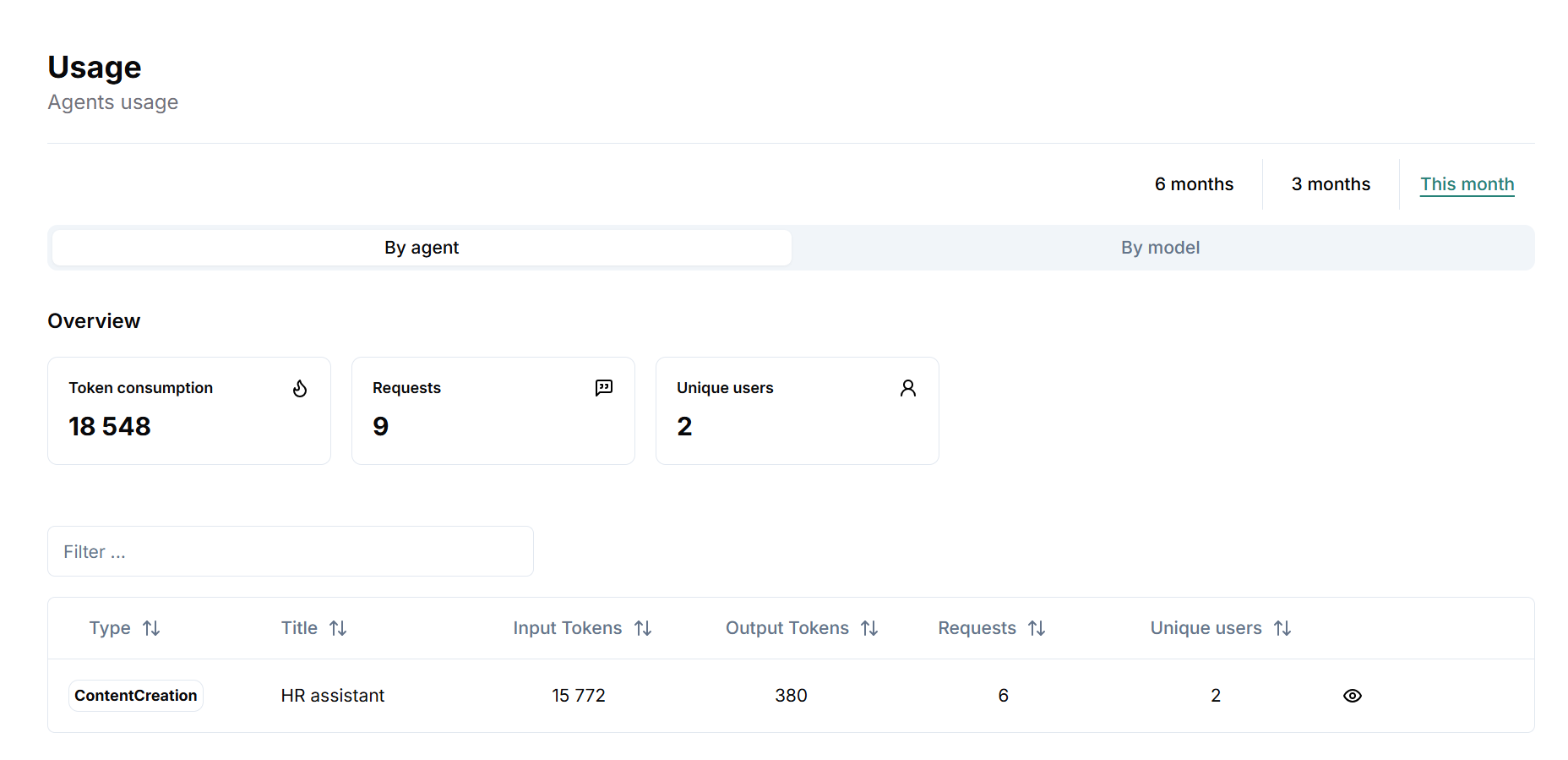
Key metrics
Total token consumption
Total number of requests
Total unique users
Time filters
Last 6 months
Last 3 months
This month
Breakdown by model and agent
List of AI models used (e.g., Azure OpenAI, gpt-4.1)
For each agent: tokens consumed, requests, unique users
Usage by agent
Agent-by-agent details
Tokens used
Number of requests
Unique users
Request history
Full request log with details (date, user, tokens for question/answer)
Navigation
Filter, sort, and browse the complete history
Consumption control
Monthly global limits: set a token consumption cap for all agents
Per-user limits: cap monthly usage per user to ensure fairness and cost control
Alerts & monitoring: track threshold usage and manage consumption proactively
Feedback module – Admin view
Overview
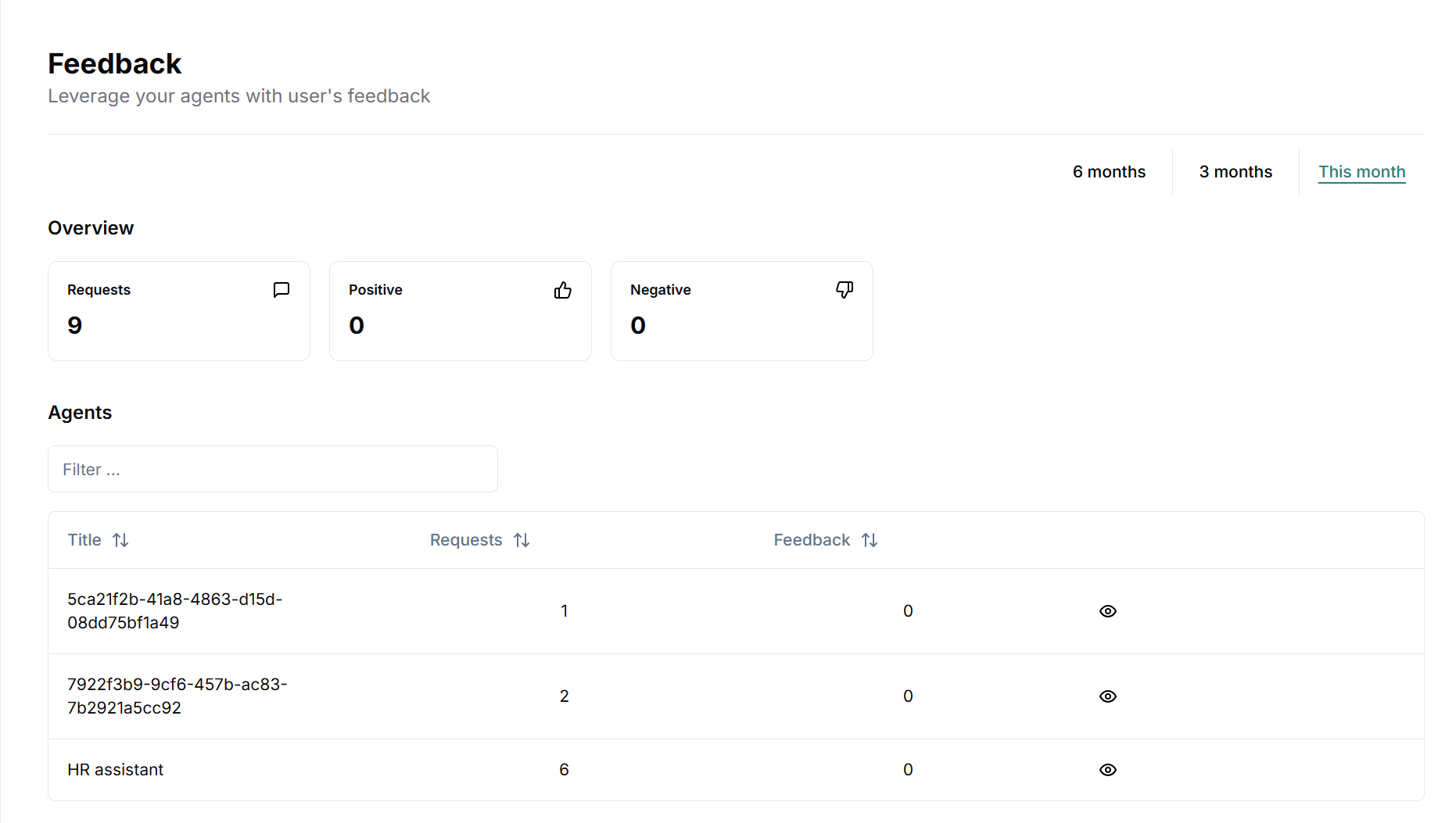
Key metrics
Total feedback count (positive/negative)
Breakdown by agent
Agent-level details
Number of positive vs. negative feedback items
Access to each feedback entry (date, comment, feedback type)
Feedback details by agent
Feedback list includes
User email address (if provided)
Feedback date and time
Associated comment
Direct view of the question that generated the feedback
Feedback module - End-user interface
The end-user feedback UI is available at the end of each interaction with a Powell Buddy agent.
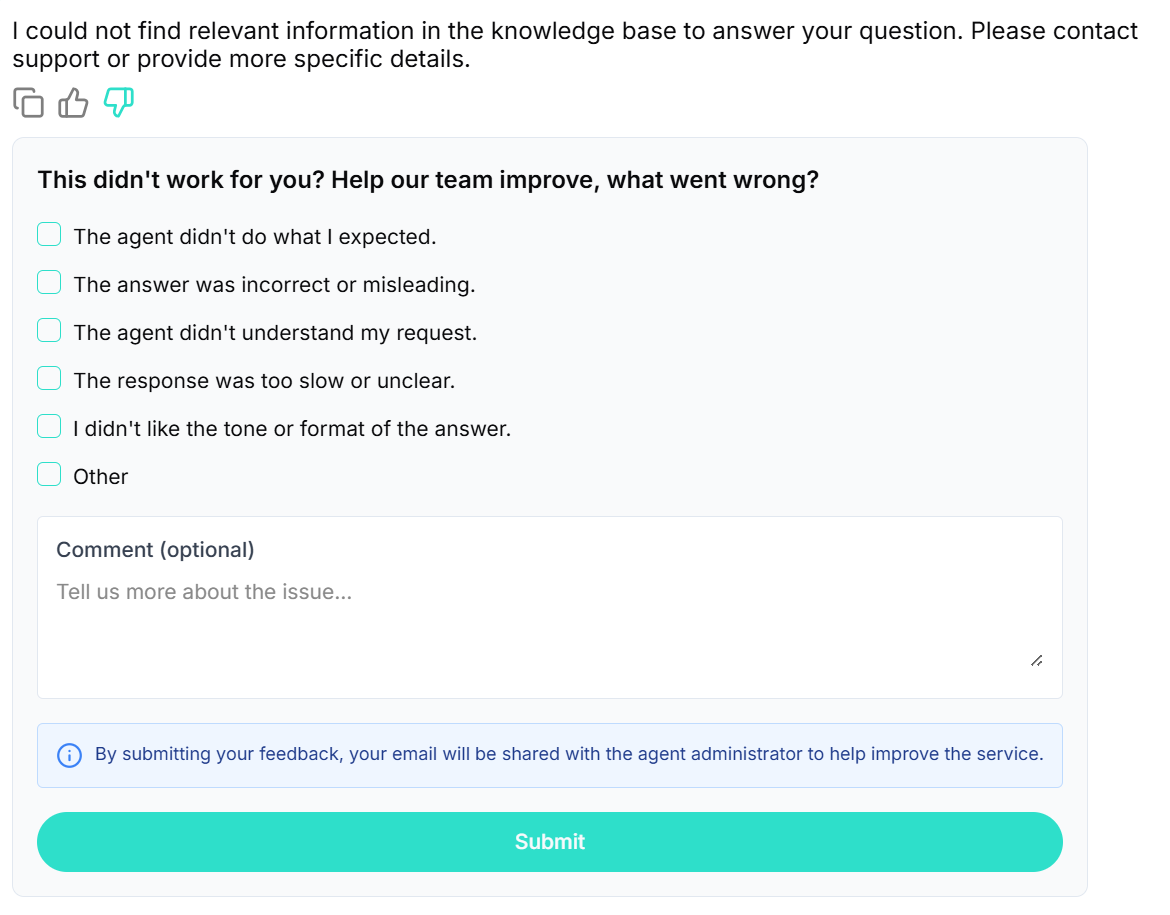
Positive feedback (“Helpful”)
👍 icon: users can indicate the answer was helpful
Form
Optional comment field: “Tell us what worked well…”
Transparency notice: user is informed their email will be shared with the administrator to improve the service
Submit button to send feedback
Negative feedback (“Not satisfactory”)
👎 icon: users can indicate the answer was not satisfactory
Form
Checkboxes (reason selection):
The agent didn’t do what I expected.
The answer was incorrect or misleading.
The agent didn’t understand my request.
The response was too slow or unclear.
I didn’t like the tone or format of the answer.
Other
Optional comment field for additional details
Transparency notice about sharing the email with the administrator
Submit button to send feedback
Key points & best practices
Transparency: users are explicitly informed that their email will be shared when submitting feedback.
Feedback exploitation: administrators access a centralized dashboard to analyze feedback and improve agents.
Security & compliance: feedback is handled in line with the organization’s privacy and data governance policies.